 Sticky Clipboard for Mac
One shortcut, any app
Press ⇧⌘V and your recent clips drop down from the top of the screen without stealing focus from the app you are in.
Sticky Clipboard keeps what you copy on your Mac. Press ⇧⌘V in any app, pick a clip, and it is pasted right where you were working.
$6.99 once. No subscription, no recurring fees.
No account. No cloud. No network access. Your clips never leave your Mac.
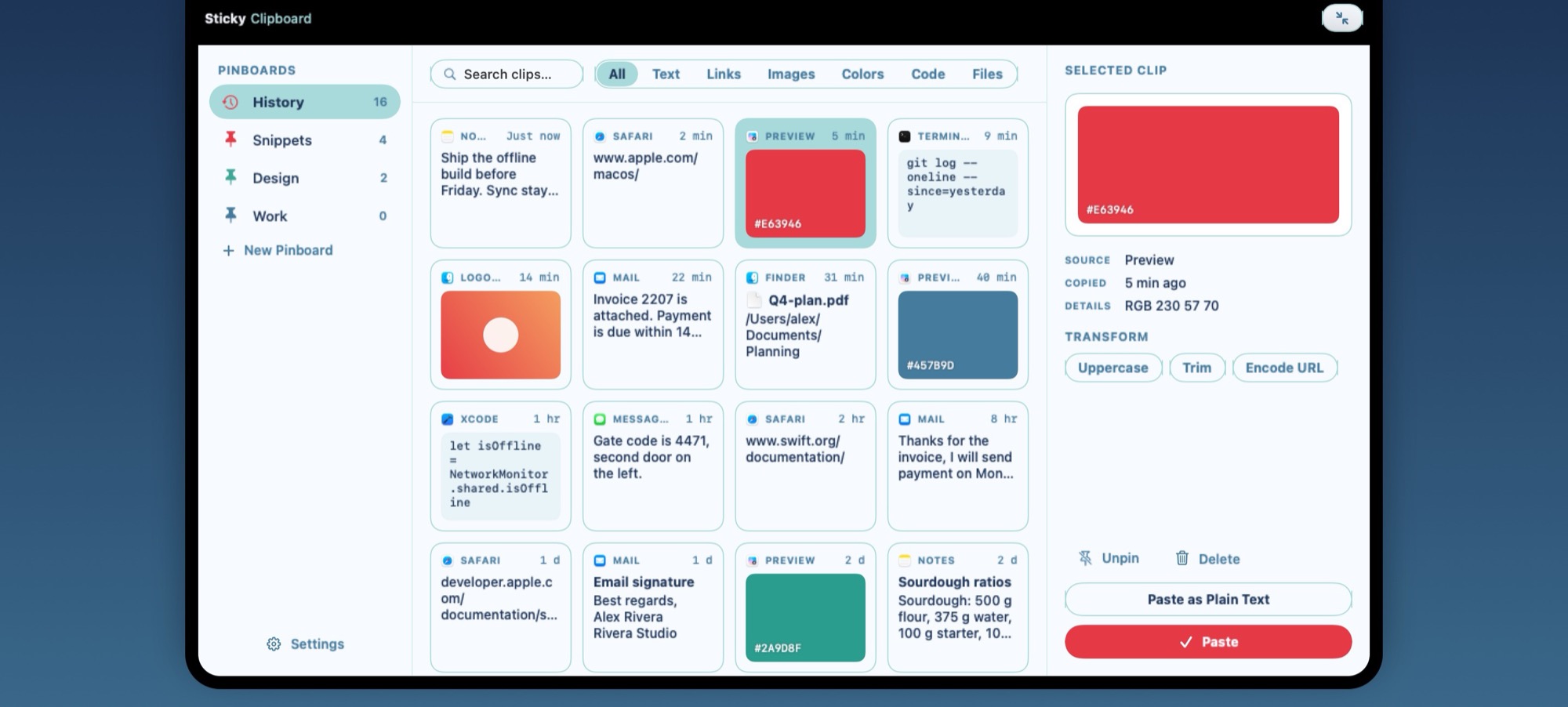
Every clip is recognised and shown the right way: a swatch for a color, a thumbnail for an image, the file's icon and name for a file.
Features
Press ⇧⌘V and your recent clips drop down from the top of the screen without stealing focus from the app you are in.
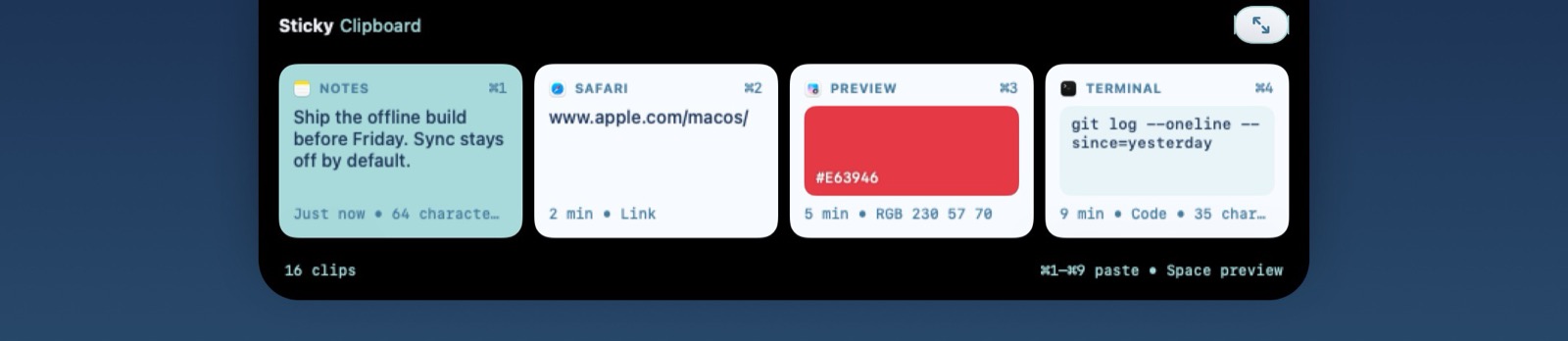
Pick a clip with the arrow keys and Return, or press ⌘1 to ⌘9, and it is pasted straight into the app you were using.
Add ⇧ to paste without formatting. Select several clips and paste them together, in order.
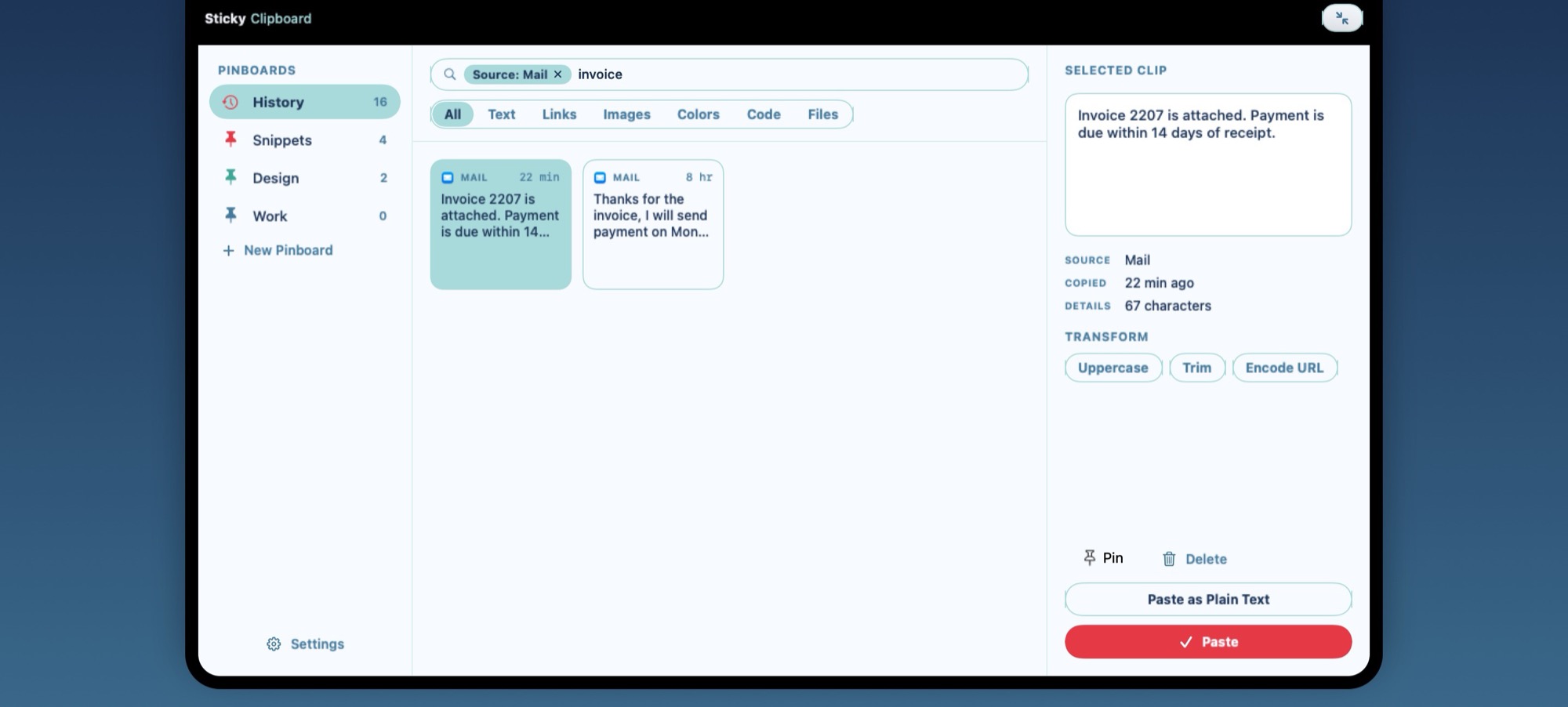
Start typing and results appear instantly, across your whole history and every pinboard.
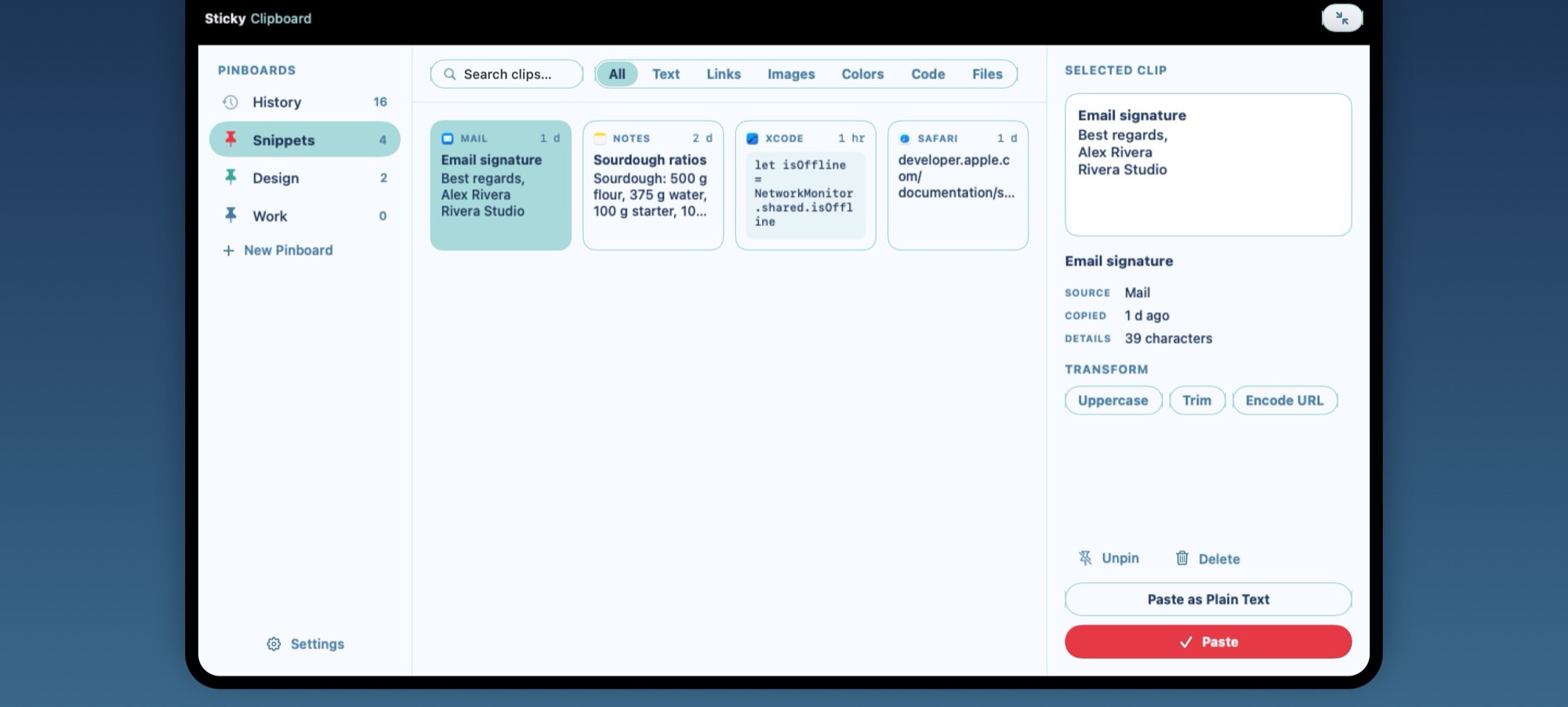
Keep snippets, colors and links you reuse on pinboards you name and color. Pinned clips are kept when history is cleaned up.
Give a clip a title, fix its text with formatting intact, or write a new clip from scratch.
Uppercase, trim or URL-encode a clip in one click. The original stays as it was.
Press Space to preview any clip, or drag it straight into another app.
Choose your shortcut, how long history is kept and how the panel animates. Follows light and dark appearance.
Quick strip
The panel opens small: your most recent clips in a row, each with its ⌘ number. Scroll sideways for more, or expand it for search, pinboards and tools.
Search
Just start typing. Add a filter to narrow things down further.
Pinboards
Your email signature, the hex codes of a brand, the commands you always forget. Pin them once and they are always there.
Privacy
Sticky Clipboard has no network access at all. Your clips are stored on your Mac and nowhere else.
Items that password managers mark as confidential are never saved. Pause capture or ignore specific apps whenever you like.
No account, no analytics, no tracking, no advertising. Delete a clip, or all of them, at any time.
Requirements
Native. Private. Yours. $6.99 once, no subscription.