 Sticky Clipboard support
Getting started with Sticky Clipboard
Sticky Clipboard keeps what you copy on your Mac. Copy as usual, press ⇧⌘V, pick a clip, and it is pasted where you were working.
3 steps · Sticky Clipboard
Copy as usual
Sticky Clipboard lives in the menu bar and saves what you copy in any app: text, links, images, files, colors and code.
The first time, it walks you through choosing your shortcut, how long to keep history, and allowing Accessibility access so it can paste for you.
Open the panel
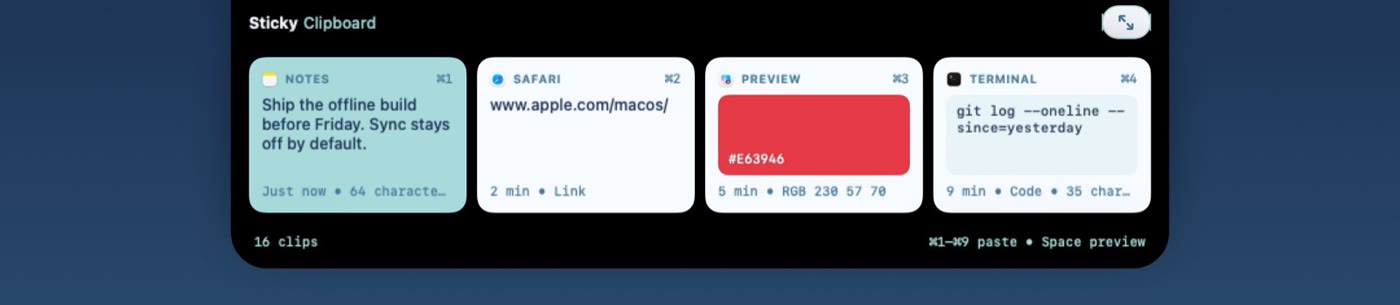
Press ⇧⌘V. Your recent clips appear at the top of the screen.
Press it again to expand the panel for search, pinboards and tools, and once more to close it.
Paste
Pick a clip with the arrow keys and press Return, double click it, or press ⌘1 to ⌘9. It is pasted into the app you were using.
Hold ⇧ as well to paste as plain text.
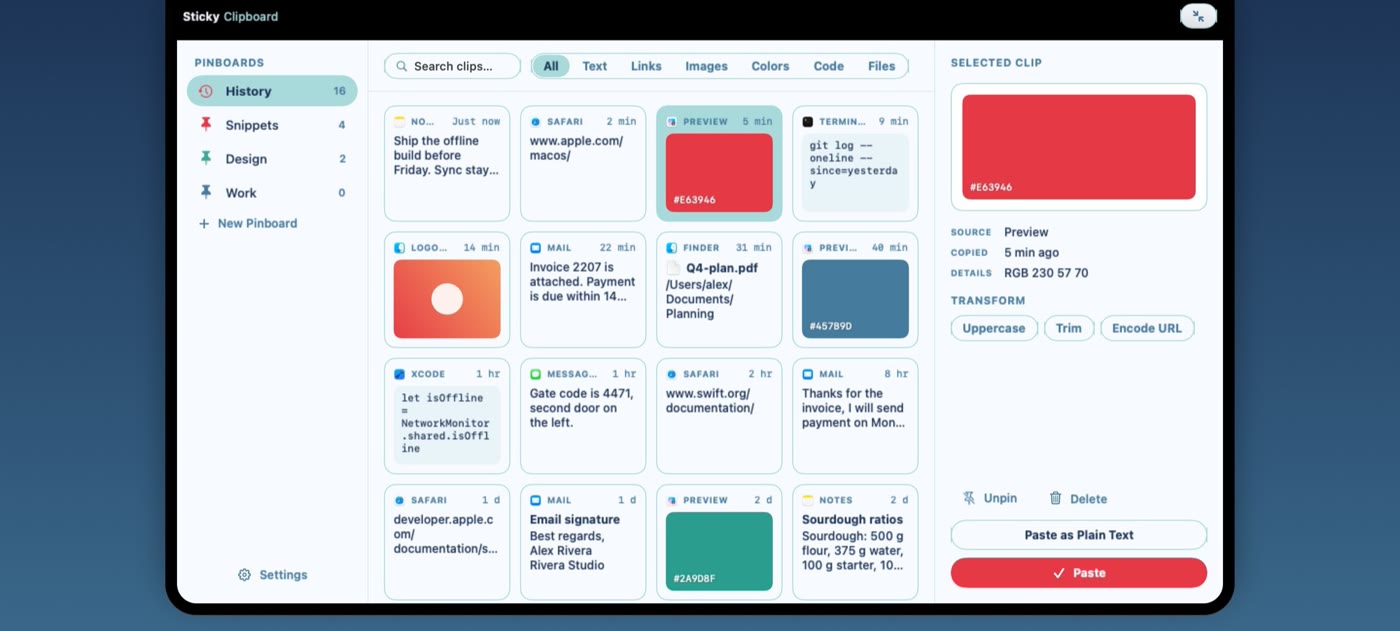
Create a pinboard with ⇧⌘N, then drag clips onto it. Pinned clips are kept even when old history is cleared.