 Juliet
Your songs live on your server
Juliet is a player, not a library host. To add brand-new music, copy the files into your server's music folder (Navidrome, Airsonic or Gonic) and let the server rescan its library. The new tracks then show up in Juliet.
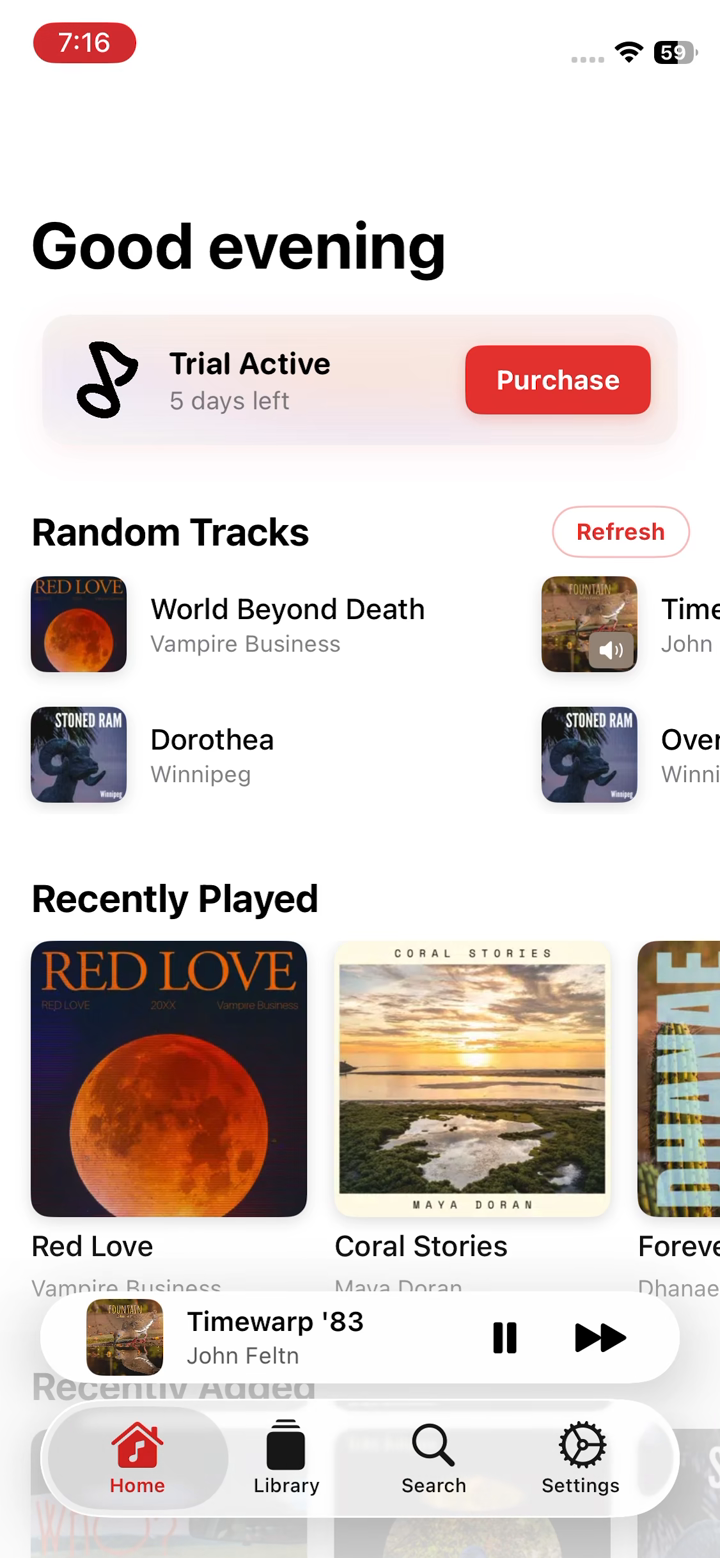
Already added them on the server? Pull down on the Home screen to refresh, and they'll appear under Recently Added.
Find the songs you want
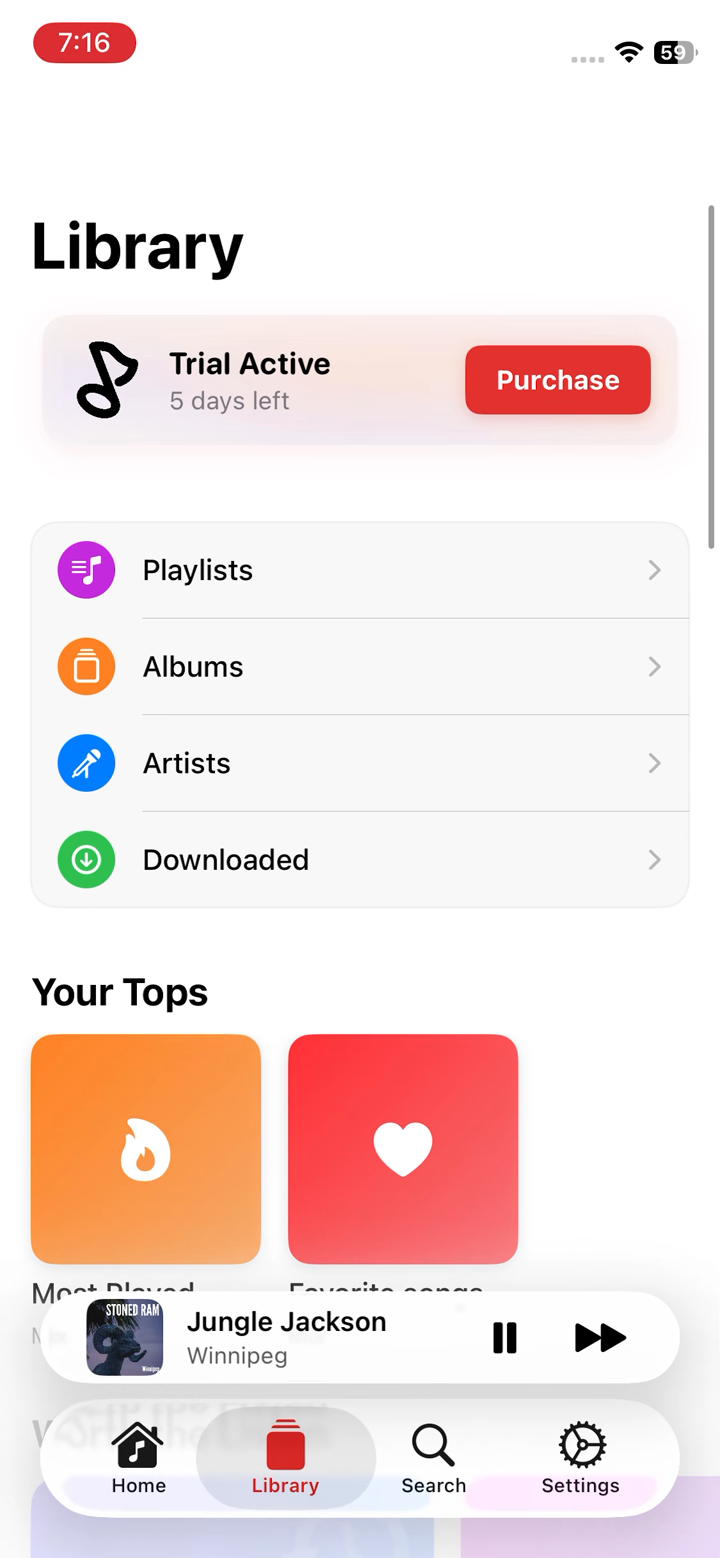
Open the Library tab to browse by Playlists, Albums or Artists, organised by your ID3 tags, not folders. Or use the Search tab to jump straight to a track, album or artist.
Tap any album or song to open it. From there you can play it now, add it to what's already playing, or save it for offline.
Add tracks to Up Next
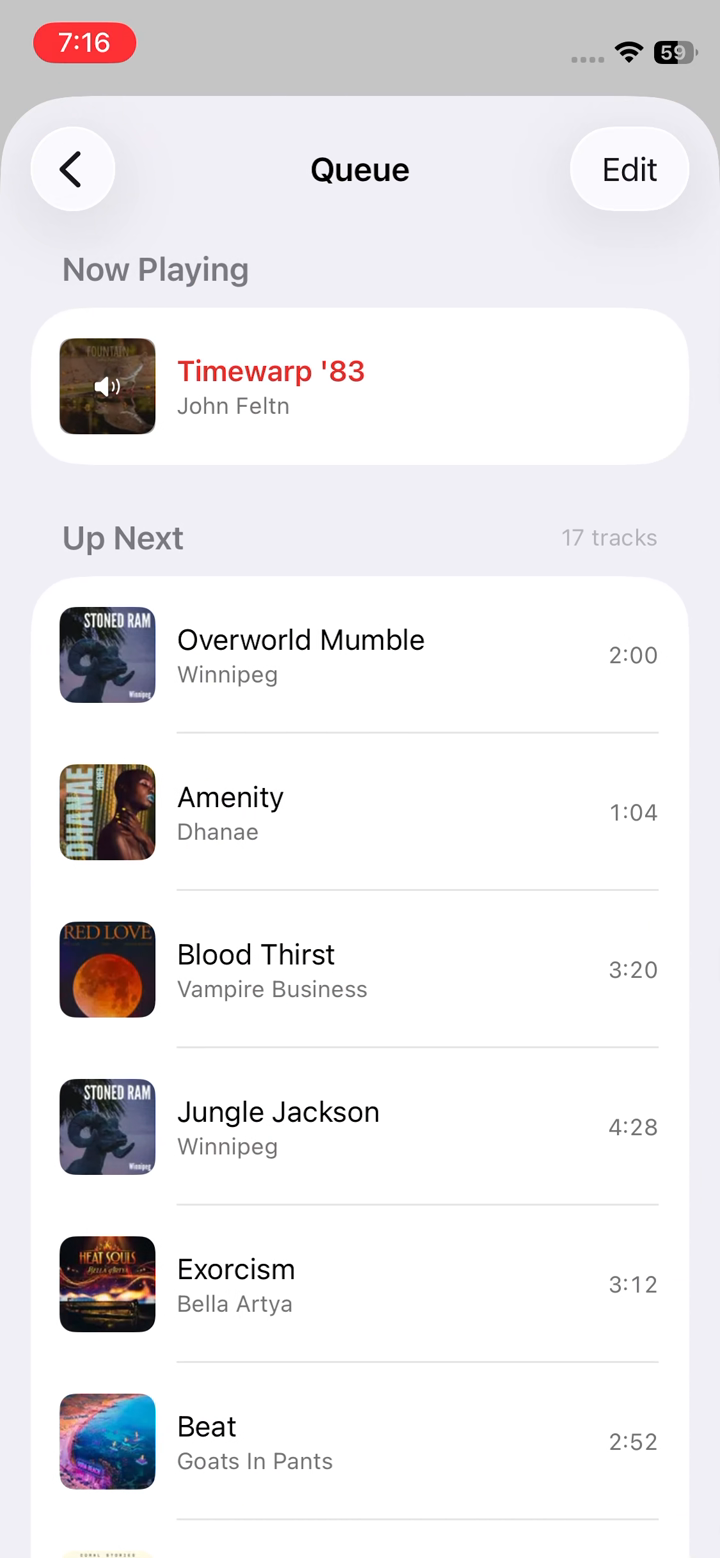
Tap a song to start playing it, then keep adding more to build your queue. On the Now Playing screen tap Queue to see everything that's lined up under Up Next.
Tap Edit in the top-right of the Queue to reorder or remove tracks until the playlist is exactly the way you want it.
Play, favourite and follow along
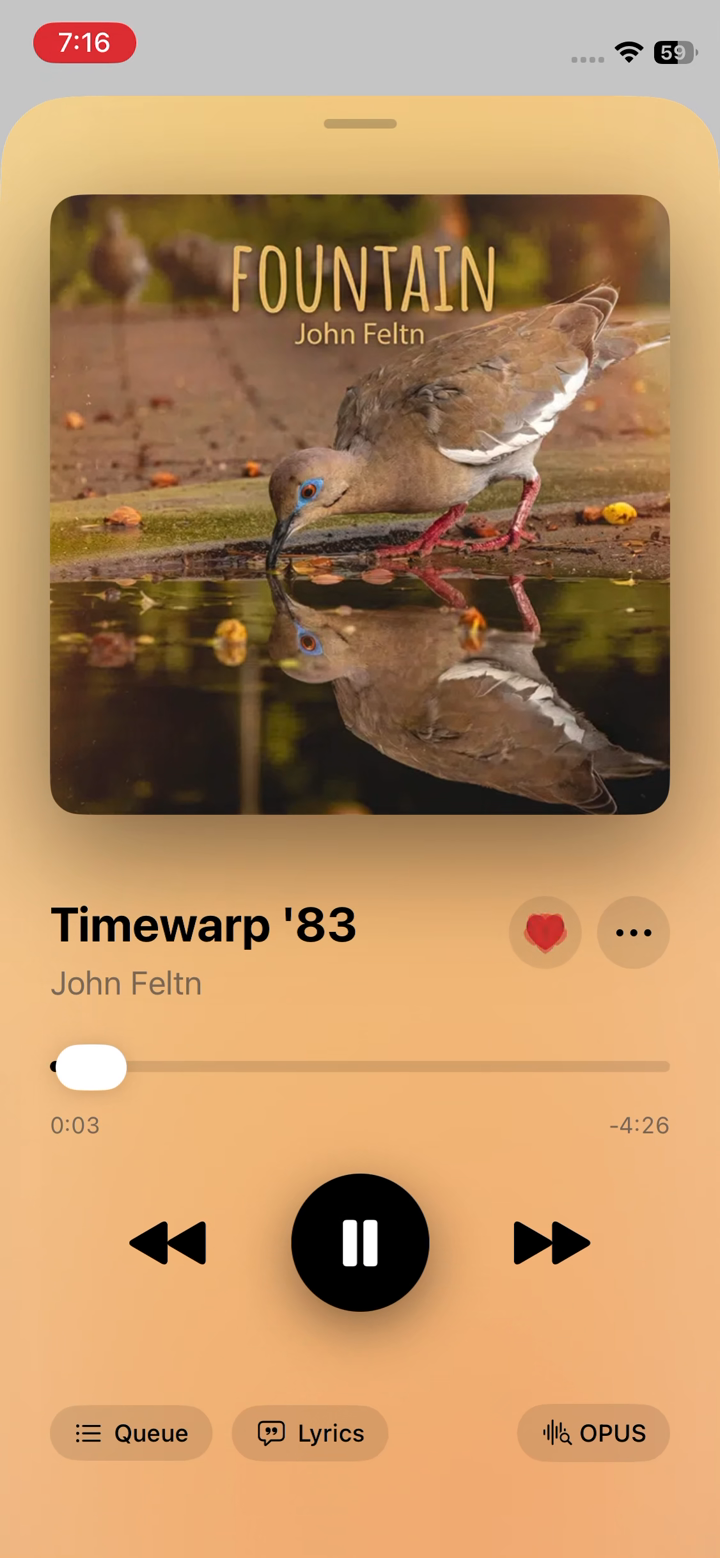
The Now Playing screen has everything for the current track: gapless playback controls, the heart to add a song to your Favourites, and Lyrics for time-synced words.
Favouriting a song is the quickest way to collect the tracks you love, and they gather in your Favourite songs mix back in the Library.
Tip · Keep songs offline
Want your music without a connection? Download albums, playlists or individual tracks and they'll be saved under Library → Downloaded. Downloads continue in the background and keep your files in their original quality, with no re-transcoding.