 Winnie Tag Editor support
Edit a whole album at once
Select several files and type once. Winnie Tag Editor writes the value to every selected file and leaves the fields you do not touch alone.
3 steps · Winnie Tag Editor on Mac
Select the files
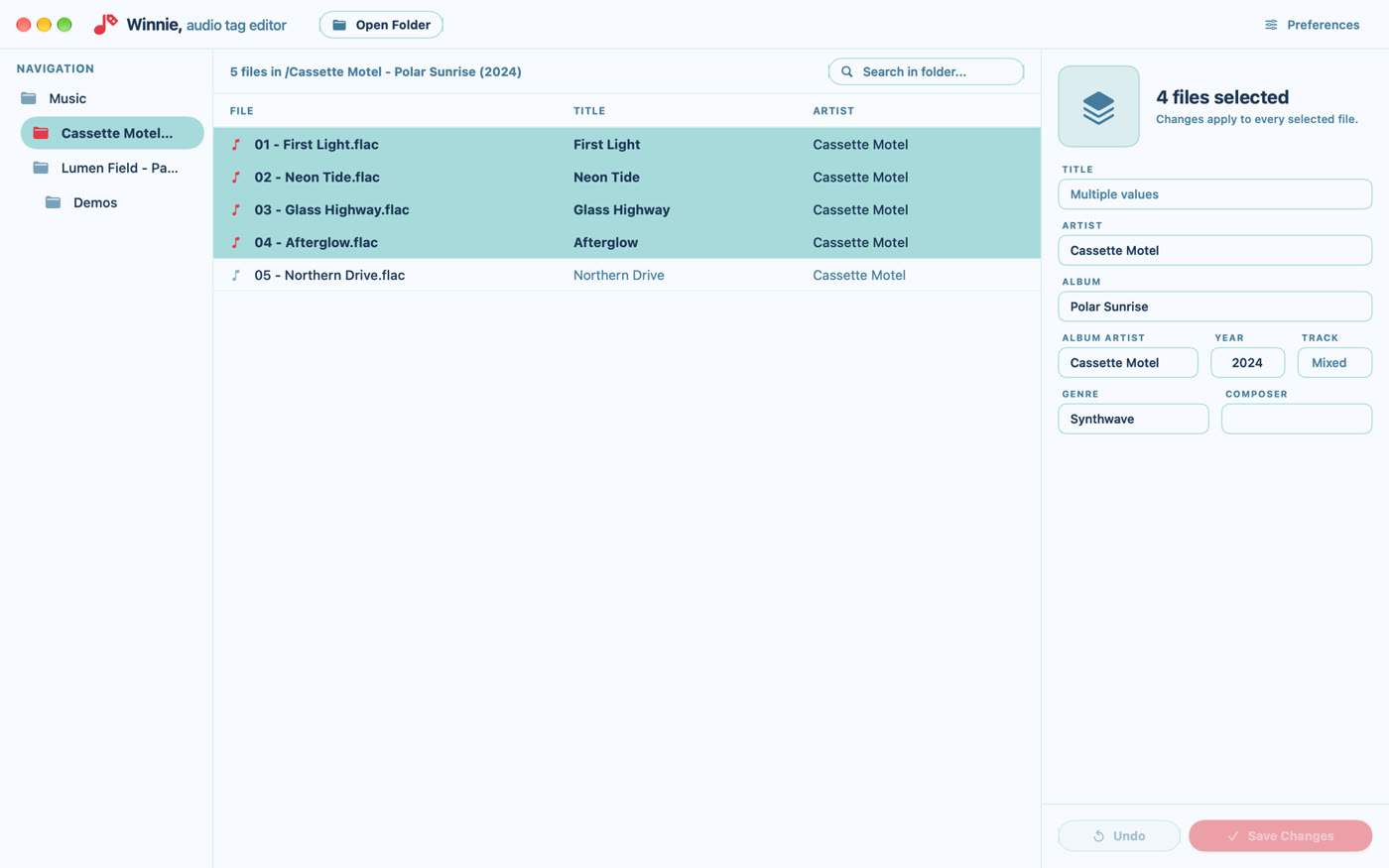
Click the first file, then hold ⌘ and click to add or remove files, or hold ⇧ and click to select a range.
Type the values they share
Whatever you type is written to every selected file. Set the artist, album, year or cover for the whole album in one go.
A field showing “Multiple values” has different values in the selected files. Leave it alone to keep each file’s own value.
Check, then save
Undo discards the unsaved changes of the selected files. Once a file has been saved, its previous tags cannot be brought back, so check a large batch before saving.
Press Save All in the top bar to write every file together.
Selecting several files is not available on iPad. There, edit one file at a time.